
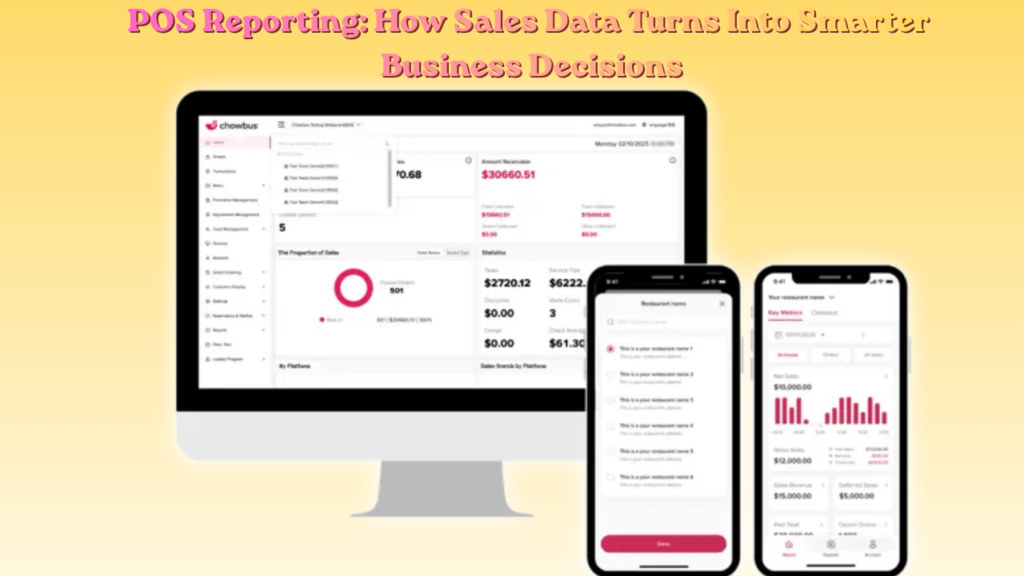
Running any business without checking your sales numbers feels a bit like flying blind. I’ve watched owners guess at their best sellers, their busiest hours, and their biggest losses when the answers sat right there in their system all along. POS reporting fixes that gap. It takes every transaction, every swipe, every cash payment, and turns it into something you can actually read and act on. I want to break down what POS reporting really covers, why it matters so much for daily operations, and how you can use it without feeling buried in spreadsheets. Whether you run a small cafe or a multi-location chain, the same core principles apply. So let’s get into it.
What Is POS Reporting?
POS reporting simply means pulling data from your point-of-sale system and turning it into readable insights. Every time a customer pays, your system logs the item, the price, the payment method, and the time. Reporting tools then organize this raw data into charts and summaries you can actually understand. I like to think of it as your business talking back to you. Instead of guessing why Tuesday felt slow, you check the report and see exactly how many transactions happened, what sold, and when. Cloud-based systems make this even easier because the data updates live, so you’re never staring at yesterday’s numbers.
As an example, A small cafe owner I know once assumed her pastries outsold her sandwiches by a wide margin. She checked her POS reporting dashboard and found the opposite was true. She adjusted her morning prep schedule and cut waste within two weeks.
Daily Sales Tracking And What It Reveals
Daily sales tracking gives you the clearest snapshot of how your business performed today compared to yesterday, last week, or the same day last month. Without this comparison, a single day’s number tells you almost nothing useful.
A cafe owner I know once assumed her pastries outsold her sandwiches by a wide margin. She checked her daily sales report and found the opposite was true. She adjusted her prep schedule within two weeks and cut food waste significantly.
Reading Trends Instead Of Single Numbers
Looking at one day’s total rarely tells the full story. A slow Tuesday might just be a normal dip, but three slow Tuesdays in a row points to something worth investigating.
- Compare this week against the same week last month
- Watch for sudden spikes in refunds or voided transactions
- Track average transaction value over rolling periods, not single days
Payment Trend Analysis For Better Cash Flow
Payment trend analysis shows exactly how customers prefer to pay and highlights issues before they grow into bigger financial problems. Card payments, cash, and mobile wallets all behave differently, and knowing the split helps with everything from fee planning to fraud detection.
Chargebacks and refunds deserve close attention here. A sudden rise in either usually signals either a processing error or a deeper customer satisfaction issue that needs addressing quickly.
Inventory Insights From Point Of Sale Data
Inventory insights come directly from matching what your POS system says should be in stock against what’s physically there. This comparison catches waste, theft, and ordering mistakes long before they become expensive problems. Restaurants especially rely on this data because perishable goods lose value fast. A gap between expected and actual stock often points to over-ordering, spoilage, or portion control issues in the kitchen.
Reducing Waste Through Regular Checks
Weekly inventory checks paired with POS data catch small discrepancies before they snowball. Waiting until month-end almost always means the problem has already cost you money.
- Compare expected stock levels against physical counts weekly
- Flag items with unusually high shrinkage rates
- Adjust ordering quantities based on actual sales velocity
Employee Performance Metrics From POS Systems
Employee performance metrics rank staff based on sales volume, average transaction size, and hours worked. This data helps managers recognize top performers and support those who need additional coaching.
A restaurant manager I spoke with started reviewing her staff performance report every morning before opening. Within a month, she identified her strongest closer and adjusted scheduling to place that employee during peak hours, which boosted evening revenue noticeably.
Comparing Report Types Across Different Business Sizes
Small shops and large chains both benefit from tracking their numbers, but the focus shifts depending on scale. A single cafe cares most about daily trends, while a hotel chain needs cross-location comparisons.
| Business Type | Main Reporting Focus | Checking Frequency |
| Small cafe or shop | Daily sales, top sellers, hourly trends | Daily |
| Restaurant | Food cost, inventory waste, staff tips | Daily to weekly |
| Retail store | Inventory turnover, discount patterns | Weekly |
| Hotel or multi-outlet property | Cross-location comparison, guest spending | Weekly to monthly |
| Chain with multiple branches | Location benchmarking, consolidated revenue | Monthly |
Fraud Detection Through Void And Discount Reports
Fraud detection often starts with reports nobody bothers to check regularly, specifically voids and discounts. These reports reveal patterns that a quick glance at total revenue would never expose.
An unusual spike in voided transactions from one employee, or unexplained discounts applied at odd hours, usually signals something worth investigating further. Catching these patterns early protects your margins and builds accountability across your team.
Common Reporting Mistakes That Cost Businesses Money
Plenty of businesses collect solid data yet still make poor decisions because of how they handle it. These mistakes repeat across industries far too often. Small oversights in how often you check reports or how deeply you break them down can quietly cost thousands over a year. None of these mistakes require extra tools to fix, just better habits.
- Checking reports only at month-end instead of daily
- Ignoring void and discount reports even though they reveal fraud first
- Looking only at total revenue without breaking it down by category
- Never connecting POS data with accounting or inventory software
- Overwhelming managers with too many reports instead of role-specific ones
Real Time Data And Its Growing Importance
Real-time data changes how fast businesses can react to problems as they unfold. Instead of discovering a pricing error at closing time, you catch it the moment it happens during a busy shift.
Cloud-based systems make this possible because information syncs instantly across every connected device. A manager checking numbers from their phone during lunch rush sees the same live picture as someone standing at the register, which used to require expensive on-site servers.
Connecting Sales Data To Customer Experience
Sales data reveals far more than just revenue numbers. It shows repeat purchase habits, average spend per visit, and loyalty engagement patterns that directly shape how staff interact with regular customers.
When staff can see a customer’s past orders, they personalize service naturally without needing to ask repetitive questions. A regular who always orders the same coffee feels genuinely noticed, and that small detail builds loyalty over time in a way generic service simply cannot match.
Best Practices For Getting More Value From Your Data
Getting real value from your reporting system comes down to consistency rather than fancy dashboard features. Checking the basics daily beats owning advanced tools you rarely open.
- Review sales and payment reports every single day, even briefly
- Set alerts for unusual refund or void activity
- Break reports down by outlet, shift, or individual employee
- Connect your point-of-sale system with accounting software
- Train managers to spot trends rather than reacting to single-day swings
Final Thoughts
POS reporting isn’t some complicated system built only for large corporations. It’s a practical daily habit that any business owner can build into their routine without much effort. Once you start checking your numbers consistently, patterns emerge that used to feel like complete mysteries.
Start small if this feels unfamiliar. Pick two reports, review them daily for a few weeks, and notice what stands out. Chances are you’ll spot at least one change worth making that guessing alone would never have revealed.
FAQs
What does POS reporting actually track?
It tracks sales, payments, inventory levels, and employee performance from your point-of-sale system.
How often should I check my sales reports?
Check daily for sales and payments, weekly for inventory and staff performance.
Can this data help catch fraud?
Yes, void and discount reports often reveal suspicious activity first.
Do small shops really need detailed reporting?
Yes, even single location businesses benefit from tracking peak hours and top sellers.
What makes real time reporting different?
It updates instantly as transactions happen instead of only at closing time.
Does this data help with staff scheduling?
Yes, hourly sales patterns show exactly when you need more staff on the floor.
Can reporting improve customer service quality?
Yes, it reveals purchase history that helps staff personalize interactions naturally.
Is cloud-based reporting better than older systems?
Yes, it offers live access from any device without needing on-site servers.
Which report should I check first each morning?
Start with your sales summary and payment report for a quick daily snapshot.
Can this data reduce food or product waste?
Yes, comparing expected stock against actual stock highlights waste early.
Read More Blogs: Hotel Metrics That Actually Drive Revenue Growth in 2026