
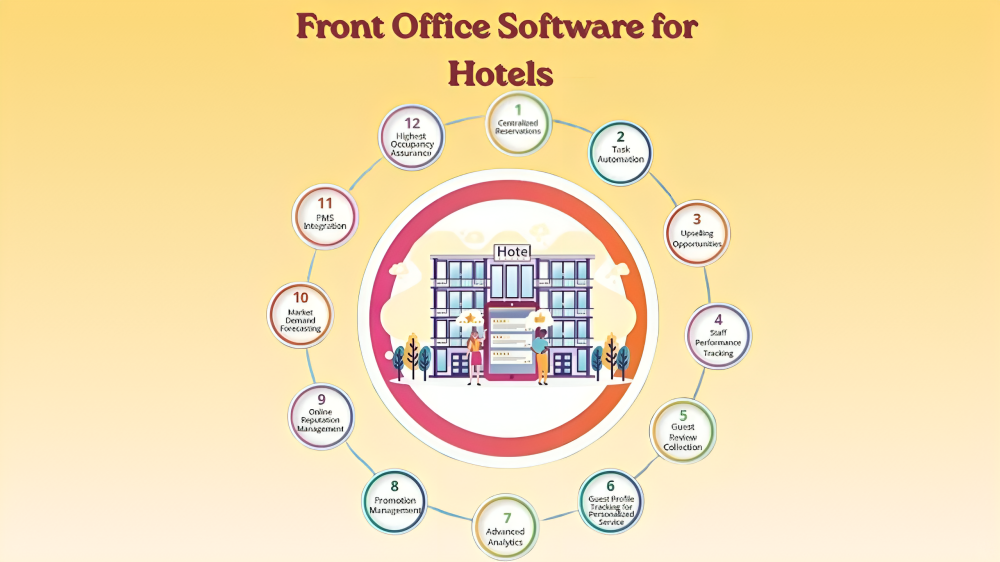
Front office software has become the backbone of modern hotel operations. It deals with all guest bookings and check-in, also communicating with guests and charging them in one system. Hotels in which the process remains manual or separate tools waste time, commit more mistakes, and provide slow guest service. This has made the transition to specialized front office software no longer opportune for the properties that would like to remain competitive.
This guide discusses what the front office software is, what features are most important, and what system is suitable for your property. It might be a small boutique hotel or a large chain of several properties, but the correct software will alter the way your front desk functions and the way your guests feel since they first enter your hotel.
What Front Office Software Does for Your Hotel
Front office software is a digital management platform that controls all guest-facing operations at the reception level. It unites reservation, room allocation, check-in processes, billing, and guest communication into a single integrated system. Your staff does not need to alternate between spreadsheets, phone logs, and paper charts, but rather have just one interface that will update itself in real time.
Think about a busy Friday afternoon at a 100-room hotel. The number was already 20 guests within two hours, housekeeping is continuing to turn rooms, and three guests have already messaged requesting early check-in. Your front desk manager is manually managing all this without front office software, and something is going to drop. Using the appropriate platform, the system has already dispatched the pre-check-in links, automatically updated room status, and indicated the guests under the early check-in process. The manager monitors all on a single screen.
Core Features That Make Front Office Software Worth Using
Not every platform offers the same capabilities. However, certain features separate genuinely useful front office software from tools that simply digitize your existing problems.
Reservation and Group Booking Management
A powerful reservation system makes it possible to use a single interface to make individual bookings, group rooming lists and more. All rate management, cancellation and change processes should be operating within a single system and not by using different tools that need to be sync with each other manually.
Speed is the actual test. This should take less than a minute and should allow a front desk agent to alter a booking, change dates, and make a rate change. Provided that the system is slowing that down instead of accelerating it, it is not fulfilling its intended purpose.
Visual Room and Reservation Timeline
One of the most useful functions of any front office software is a live, interactive timeline of room status, arrivals, departures, and housekeeping progress. The entire property can be reviewed by staff without them having to run reports or calls to other departments.
The superior schedules allow employees to select by the kind of room or floor, drag bookings to different rooms, and highlight upkeep concerns right on the screen. This saves a lot of movement of front desk to housekeeping.
Digital and Self-Service Check-In Tools
Self-service check-in has become a standard guest request, rather than a luxury. The results of the research conducted by Oracle Hospitality and Skift in 2024 indicate that 73% of contend that they prefer to manage their hotel stay with the help of their mobile gadgets. Due to this reason, software in the front office should be able to accommodate:
- Pre-arrival online check-in sent via email or SMS
- In-lobby kiosk check-in for guests who prefer on-site self-service
- Mobile check-in with digital room key integration
- Express checkout via app or email link
Each of these options reduces desk congestion during peak hours while keeping the guest experience smooth and controlled.
Centralized Guest Messaging Inbox
When a visitor communicates via Booking.com, a second via WhatsApp, and a third via a personal email, all three chats must all be in the same reciprocal place. Centralized messaging brings together all channels into one inbox such that any operator who will be on shift can continue the conversation left by the previous operator without necessarily asking the guest to repeat the message.
This becomes especially important for service recovery. A noise complaint logged at 11 PM should be visible to the morning team without any extra steps. Front- office software with centralized messaging makes that automatic.
Guest History and Personalization Data
All a returning guest has to do is check-in and your staff will immediately see the room type he or she prefers, any history of upselling purchases, any dietary restrictions, and even loyalty level all displayed on the screen when they check-in. This is made easily by front office software having powerful guest intelligence functionalities which transforms a normal arrival into a personal arrival.
Beyond the guest experience benefit, this data also drives revenue. If a guest has purchased late checkout twice before, offering it again at check-in is natural and likely to convert. The system surfaces the opportunity; the staff member closes it.
Integrated Payment Processing
Separate payment terminals that don’t connect to your reservation system create reconciliation problems every single night. Integrated payments within front -office software post all charges room rate, restaurant, spa, extras to the same guest folio automatically. At checkout, the bill is ready with no manual entry required.
Tokenization allows guests to authorize payment once and have all charges settled without re-entering card details. Multicurrency support handles international guests without additional steps at the desk.
Front Office Software vs Full Property Management System
| Feature | Front Office Software | Full PMS |
| Reservation management | ✓ | ✓ |
| Check-in and check-out | ✓ | ✓ |
| Room assignment timeline | ✓ | ✓ |
| Guest messaging | ✓ | ✓ |
| Housekeeping management | Limited | Full |
| Revenue management | Not included | ✓ |
| Accounting and reporting | Basic | Full |
| POS integration | Limited | ✓ |
| Channel management | Not included | With integrations |
| Third-party integration library | Limited | Broad |
Cloud-Based Front Office Software vs On-Premises Systems
Cloud-based front office software has become the standard for most property types. It operates on any browser, across tablets, phones, is automatic, and can expand to additional properties without the need of hardware acquisition. On-premises systems have not yet gone away in large enterprise chains with heavily customized legacy infrastructure, but their market share is diminishing.
| Criteria | Cloud-Based | On-Premises |
| Deployment time | Days to weeks | Weeks to months |
| Hardware requirements | Minimal — browser-based | Local servers required |
| Software updates | Automatic | Manual and scheduled |
| Remote access | Full access on any device | VPN-dependent |
| Upfront cost | Low — subscription model | High — license and hardware |
| Scalability | Easy — add properties simply | Infrastructure investment needed |
| Disaster recovery | Vendor-managed | Hotel’s responsibility |
Why Modern Hotels Are Moving Away from Fixed Reception Desks
The best front office software actually makes the traditional reception desk optional. When guests complete digital check-in before arrival, receive their room number and digital key on their phone, and check out simply by leaving the fixed desk becomes redundant for a large portion of arrivals. Staff don’t disappear in this model. Instead, they move into the lobby, the lounge, or wherever guests actually are. Mews, one of the leading hotel PMS providers, has built its platform specifically around this shift.
Their cloud-based system allows staff to check in guests from a tablet anywhere on the property. Leven Hotels reported a 10x reduction in onboarding time after switching to the Mews platform a clear example of what properly deployed front office software achieves in practice. Hotels embracing this approach aren’t cutting service. They’re redirecting staff time from transactional tasks to genuine hospitality.
Security Standards Your Front Office Software Must Meet
Hotels deal with consumer information that in any industry are the most sensitive; passport numbers, payment cards information, home addresses and travel patterns go through front office software every day. Thus, the vendor you decide to employ should not only be a hypocritically claimed security vendor but a real one.
PCI DSS Compliance
PCI DSS governs how payment card data is collected, stored, and transmitted. Any front- office software processing card payments must be PCI DSS compliant. Non-compliance creates significant legal and financial exposure in the event of a breach.
SOC 2 Certification
SOC 2 is an external audit of a third party that ensures that a system used by a vendor has complied with the standards of security, availability, processing integrity, confidentiality, and privacy. It is the most plausible security message of SaaS based hotel systems.
ISO 27001 Certification
The international standard of information security management is ISO 27001. Vendors that are certified have put into practice security governance as part of their organizational process as opposed to merely a technology stack.
GDPR Alignment
There is no compromise to the GDPR compliance of any hotel that operates within the European Union or has visitors who are citizens of the EU. The information about guests should be gathered on consent, kept, and destroyed on demand. These certifications must be checked on the website of the vendor before shortlisting any vendor.
Biggest Mistakes Hotels Make When Selecting Front Office Software
Most implementation failures trace back to poor vendor selection rather than bad software. These are the mistakes that appear most consistently.
- When we decide on price, we seldom get the lowest total cost. Unless a system fits into your channel manager, accounting, or payment system, then your people are spending time on manual reconciliation costs, day by day.
- A major mistake is testing on desktop during the demo only. Assuming that the check-in steps are cumbersome on a tablet, then your employees will never access the platform as a mobile device, and your lobby-based check-in experience will never be achievable.
- Most implementations fail to perform well because of the underestimation of the training requirements. Even software that makes sense is time-consuming to learn. Find vendors offering onboarding of this type, training library/knowledge, and live support in the go-live phase.
- Ignoring the integration marketplace creates data silos. A hotel’s tech stack typically includes ten to twenty tools. Front office software without a broad pre-built integration library will require expensive custom workarounds.
- Selecting for today’s size, not tomorrow’s, leaves properties in a difficult position when they grow. Evaluate the platform against your three-to five-year plan, not just current room count.
Key Statistics on Front Office Software Adoption
| Statistic | Source | Year |
| 73% of travelers want mobile devices to manage their hotel stay | Oracle Hospitality and Skift | 2024 |
| 58% of guests prefer self-service check-in | American Hotel and Lodging Association | 2023 |
| Cloud PMS adoption among independent hotels grew 22% from 2022 to 2024 | Skift Research | 2024 |
| Cloud PMS users report 30–40% reduction in front desk processing time | Hospitality Technology Magazine | 2023 |
| Integrated payments reduce billing discrepancies by up to 25% | HFTP | 2023 |
| Global hotel management software market projected at $11.7 billion by 2032 | Grand View Research | 2024 |
Front Office Software Trends Shaping Hotel Operations Through 2027
The direction front office software is heading involves more intelligence, tighter system integration, and less friction at every guest touchpoint.
- AI-driven personalization is shifting from experimental to operational. Systems now use machine learning to predict early check-in requests based on flight data, surface the right upsell offer for each guest profile, and flag potential service issues before a complaint reaches the desk.
- Biometric identity verification is entering mainstream hotel operations. Digital passport verification through mobile apps is becoming a practical option for international properties, cutting ID check time significantly at arrival.
- Unified hospitality operating systems represent the biggest structural shift. Rather than front-office software sitting alongside a PMS, alongside a POS, alongside a channel manager leading platforms are consolidating everything into one operating environment. Mews describes its platform as “hospitality’s first unified operating system,” and that framing reflects where the broader market is heading.
- Voice-activated front desk tools are emerging as practical aids during peak periods. Staff being able to query room status or pull up a guest profile through a voice command without touching a screen reduces cognitive load during high-volume check-in windows.
Conclusion
Front office software has moved well past being a convenience upgrade. It is a core investment operation to any hotel that is concerned with efficiency, guest satisfaction and revenue performance. The difference between the properties that operate the modern cloud-based system and those that still use the old tools is evident in all the interactions, beginning with the speed of the check-in, to the correctness of the billing system, to the level at which the personal staff can welcome a guest back.
Selecting the appropriate platform would indicate more than the monthly cost. Mobile functionality, scalability, depth of integration, and security credentials are all equally important. Hotels that make this decision correctly not only operate more efficiently, but they also produce the type of trouble-free, repeat-quality customer experience that will leave them with repeat patrons and glowing reviews. It is that combination that makes front-office software a worthwhile area.
Read More Blogs: Infographics SEO For Hotels: The Complete Guide to Ranking Visual Content on Google